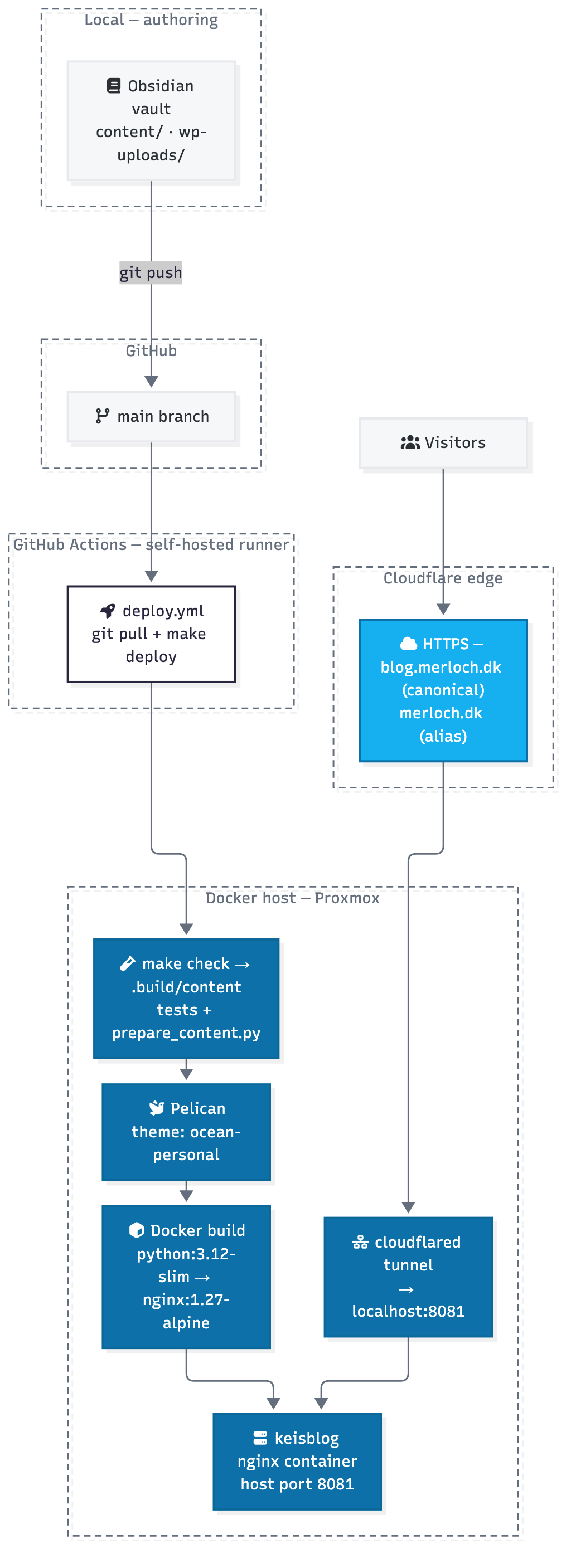
This is more or less a follow-up post to my original post(See it here), of moving my blog over 20 years to a static site, based on Pelican. I did that for a couple of reasons:
- I wanted to try something new, after 20 years of wordpress, and AI suddenly could help me a lot to actually build it.
- I really like using Obsidian and the purity of Markdown, so wanted that to be my Editor
- I wanted indepence of a platform, all my content lives in pure markdown in a github repo, and i can build a new front-end, or use another at any time i want, if i want to move to another platform in the future.
- It has to be easy to work with with AI, and there flat files are just fantastic. And i made a skill for my blog, so agents knows how it works.
- The static nature of the site makes it easier to secure, when i host i locally on my own computer in the basement.
- Its fun to build it yourself !! :). Still remember building my first websites myself in asp.net or PHP. And i get that feeling a little again.
Here in version 2 of the blog, i have added a new theme, that renders nicely on both big screens and mobile, and has dark and light mode, cause every blog needs that these days ! :).
There was also a little a few small issues i wanted to correct. I post a lot of pictures from my photography hobby. And usually the flow is:
Start Obsidian -> CTRL +P (To make a new post) + Choose new post (Using templater in obsidian). Which generates a draft post where i can start writing, and pasting in the optimized images (Read more about that here ). That worked ok, but the post itself, was just one long page of pictures, and did not look that good. I wanted a gallery like in wordpress !! :) but i did not want the hassle ! So now if i dump more than 3 pictures in a post, it will automatically be converted to a gallery by the pipeline running the deployment of my mark down from obsidian by the github runner.
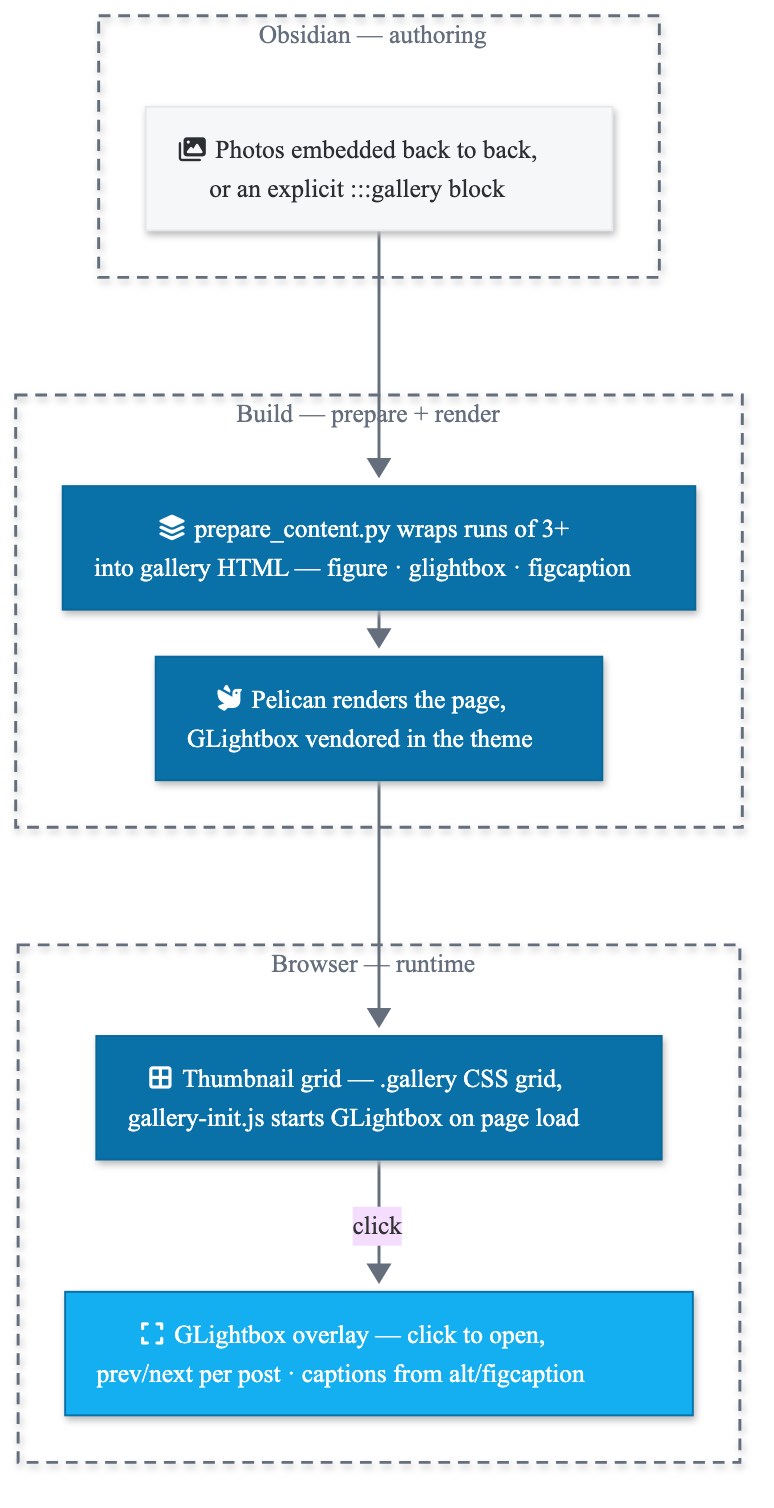
And now i have a very nice custom gallery option :).
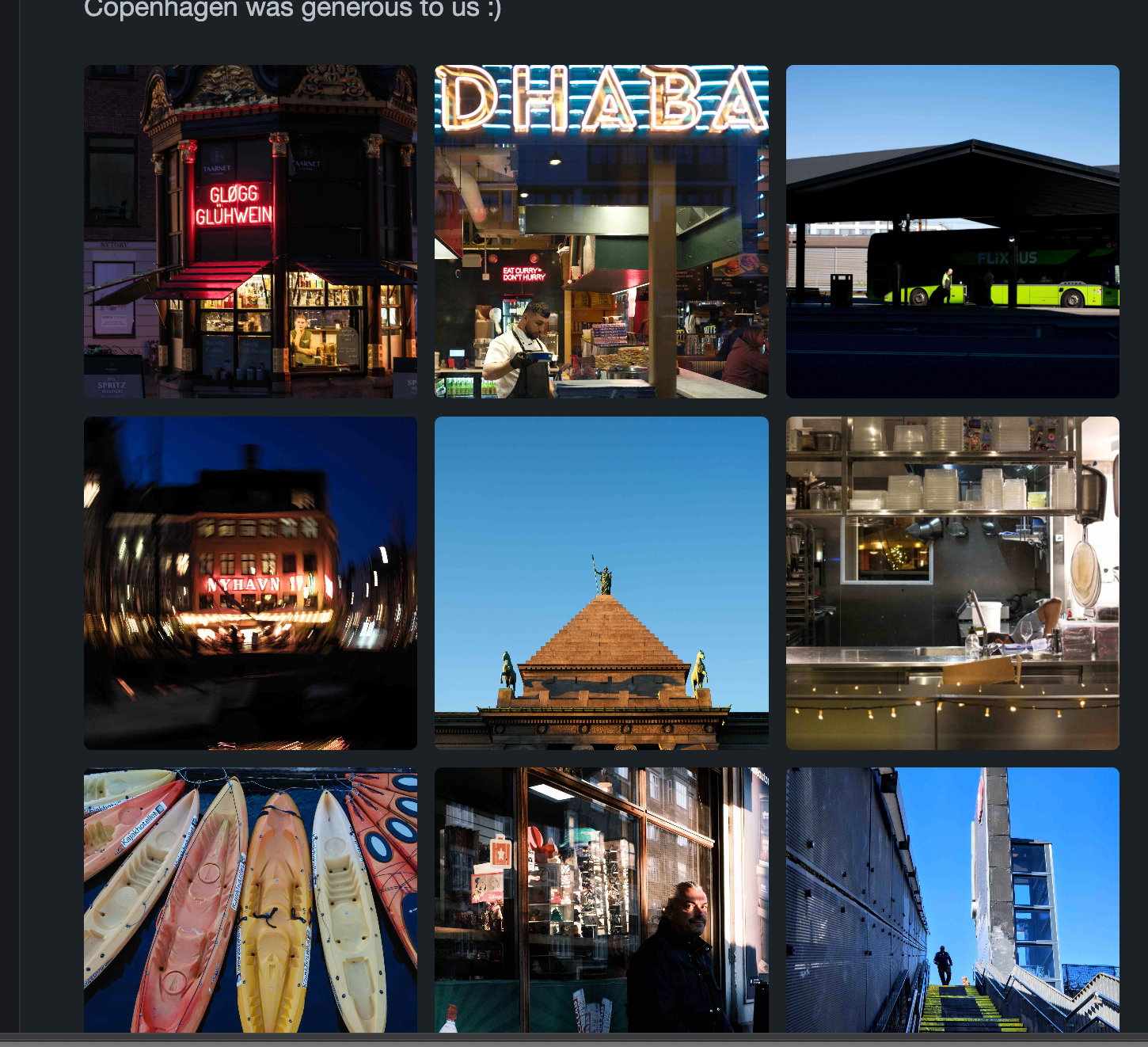
That was all from me this time :)